
Why Does Job Profit Disappear on Construction Jobs You Priced Right?
For companies that quote jobs, schedule work, run crew, track time and invoice by job.
You Priced That Job to Make Money. What Happened to It?
You ran the numbers. You priced the labour. You built the profit in.
The job looked right when you signed it. Fourteen percent. Maybe eighteen. Enough to make the work worth doing.
Now the job is closing. The number that comes back is half of what you priced. Sometimes it is a third. Sometimes it is nothing.
Nobody stole it. Nobody made a mistake you can point to. It just bled out. A little on hours that ran long. A little on materials coded to the wrong job. A little on a change order that never got signed. A little on time the crew spent waiting — and waiting costs the same as working.
And the worst part: you could not see it happening while you still had time to do something about it.
This post explains why the profit you priced into a job disappears before closeout, why the usual fixes do not stop it, and what has to be connected before you can hold on to it.
The 30-Second Answer: Why Construction Job Profit Disappears
You do not fix disappearing job profit by reviewing the job at closeout.
You fix it by knowing your true labour cost before you price the work, breaking the job into tasks so you price each piece correctly, comparing actual costs to your charge-out rate while the work is running, and catching the drift before the job is done.
The profit you priced in disappears because the number you put in the quote and the number that shows up in the field are built differently, tracked differently, and compared — if at all — too late to change anything.
Why the Usual Fixes Keep Failing
Most contractors have tried at least one of these. None of them holds the profit in.
Tightening the quote.
You sharpen the pencil, cut the contingency, get more precise. But if the labour cost in the quote is wrong to begin with — and for most contractors it is — you are just pricing a tighter version of the wrong number.
Monthly job cost reports.
The report comes out. The job is thirty days in on a forty-five-day project. The profit is already gone. That report is not a warning. It is a post-mortem.
Asking the foreman how it's going.
He says fine. He is not lying. He does not know either — nobody has given him a system that shows cost by task against what you charged out.
Blaming the estimate.
You hire a better estimator or send the one you have to a course. But if the crew is logging time to the wrong job and the cost in your system is still just the wage, the next estimate will be wrong for a different reason. The problem is not the estimator.
Does Any of This Sound Familiar?
"We checked in at week two. The job looked fine. By week four it was thirty grand over."
"Change orders went out. Half came back unsigned. We absorbed the rest."
"Three guys worked a Friday across two jobs. Nobody coded it right. Now both jobs look wrong and we don't know which way."
"We priced it at sixteen percent. It closed at five."
If any of that lands, you are not alone — and you are not bad at running a business. Construction net profit margins average 6.2 percent in 2026, according to Buildermuse. CNBA research from May 2026 found that nine out of ten construction projects hit cost overruns — and a ten percent overrun on a mid-size job wipes out all the profit.
This is not a you problem. It is a system problem.
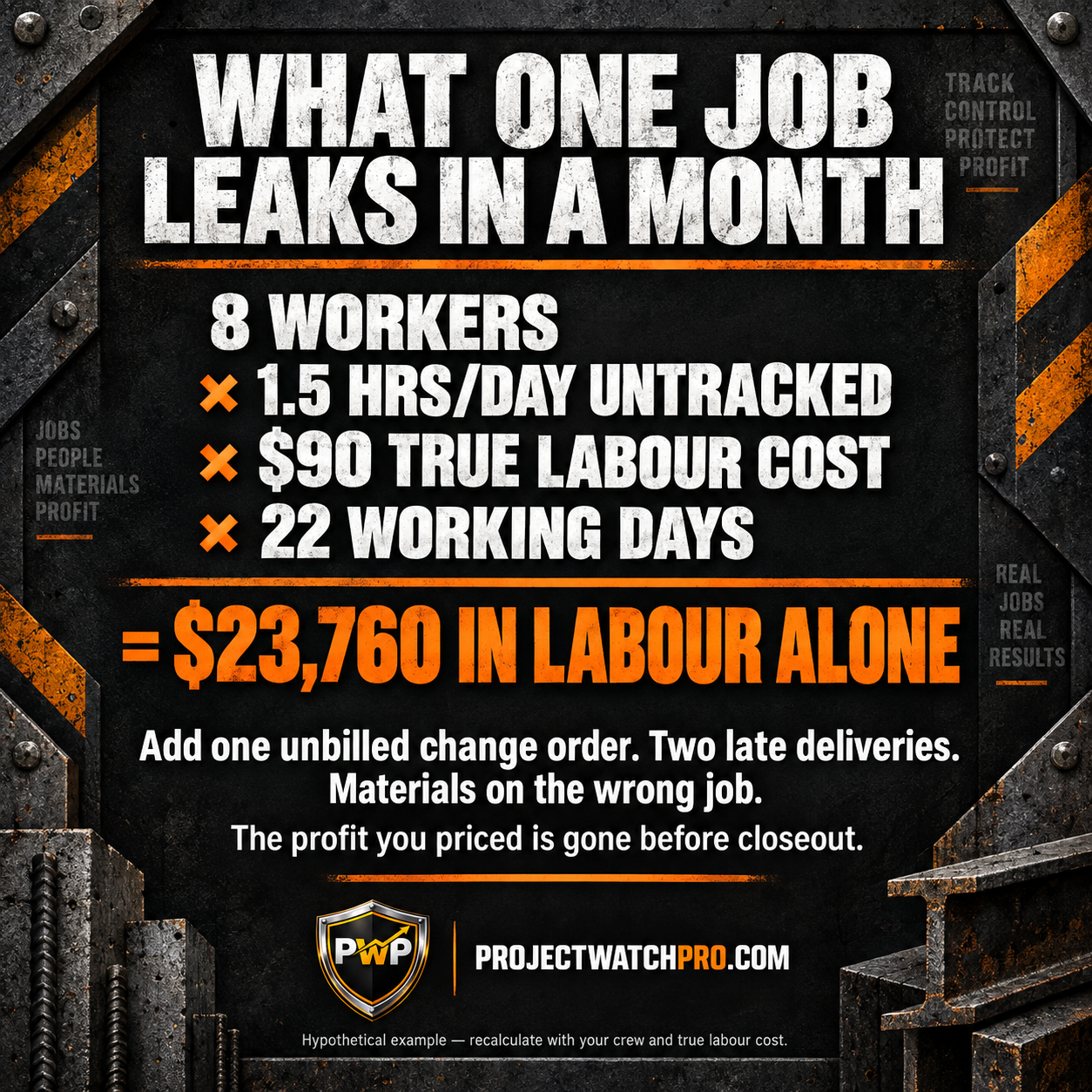
What it costs — a simple illustration:
One active job. Priced at $320,000 with eighteen percent profit built in — that is $57,600 you are counting on.
Labour runs 1.5 hours long per worker per day. Eight workers. True labour cost: $90/hour. Twenty-two working days.
> 8 workers × 1.5 hrs/day × $90 true cost × 22 days = $23,760
That is one leak. Add one change order that did not get billed ($4,200). Two tasks that ran long because a delivery was late ($6,800). Materials coded to the wrong job ($3,100). You are not at eighteen percent anymore. You might be at eight. You might be at three.
This is a hypothetical example. Plug in your crew size, your true labour cost and your job length. The math always tells a story.
Why Job Profit Keeps Disappearing: The Data Fragmentation Problem with a True-Cost Blind Spot
Here is the real reason the profit you priced does not survive to closeout — and why most contractors cannot stop it no matter how hard they pay attention.
The quote, the schedule, the field and the billing are not connected.
The estimator builds the quote in one place. The foreman runs the job in his head. The crew logs time to a job number — if they log it at all. The billing goes out on a calendar date, not when the work is finished.
By the time the office compares what was spent to what was priced, the job is over or almost over. There is nothing left to do except explain the loss.
That is the fragmentation problem.

It is made worse by a true-cost blind spot: the labour number in most quotes is the wage. Twenty-eight dollars an hour. Thirty-five. Forty-two.
But the true cost of putting that employee on the job — once you add labour burden, overhead burden, shift differentials and task-specific costs — is often 1.5 to 2.2 times the wage. If you price from the wage and the job runs on the true cost, the profit gap was built into the quote before the first crew member showed up.
You cannot track your way out of a number that was wrong from the start.
This plays out the same way whether you run a general contracting firm, an electrical sub, a fabrication shop, or a mechanical contractor. Wherever labour goes on a job and the cost behind it is not the full picture, the profit you priced and the profit that shows up at closeout will not match.
What Actually Has to Change to Keep the Profit In
Six things have to be connected before the profit you price survives to closeout.
1. Price from true labour cost — not wage.
The full hourly cost: wage + labour burden + overhead burden rate + task-specific burden + shift differential + overtime premium. This number goes in the quote and in the tracking system.
2. Break the job into tasks — not a lump sum.
A lump-sum quote hides every individual cost. A task-level quote shows you where the job will hold or bleed before you sign the contract.
3. A schedule that matches what you priced.
The tasks you priced need to map to when they run and who runs them. If the schedule and the quote are not tied together, the crew can drift and you will not know why until the hours are already spent.

4. Field time logged to job and task — not just the job number.
Total hours by job tells you something went wrong. Hours by task tell you where it went wrong and what it cost.
5. True labour cost in the tracking system — not just hours.
Logging hours to a task is not enough if the cost behind those hours is still the wage. The system has to convert hours at true cost so you can compare actual cost to what you charged out.
6. Live comparison — while the work is still running.
The only way to protect profit is to see the variance while you still have options. That means comparing actual cost to charge-out rate on every active job through the week — not at month-end.
The conclusion every contractor reaches when they see this list: I understand what needs to happen. Keeping all of it current across every job at once is the hard part.
That is exactly what the system below is built to do.
How the Profit Pulse System and ProjectWatchPRO Handle This
Most software is built around features. ProjectWatchPRO was built around a methodology.
That methodology is called the Profit Pulse System. It is a nine-step operational foundation that changes how a construction business calculates cost, prices work, schedules crews and monitors live jobs. ProjectWatchPRO was designed specifically to run that system — which means the software does not ask you to build a new process around it. The process is already built in.
This matters because switching software alone does not fix a profit problem. If the new tool still uses wage instead of true labour cost, still quotes lump sums, still compares costs at month-end — you get the same result with a different interface. The problem is not the software you are running. It is the operational foundation the software is running on.

Profit Pulse System builds the foundation. ProjectWatchPRO automates the work on top of it.
Here is how the nine steps connect to the job profit problem — and what PWP handles automatically for each one:
Build the cost engine:
- Overhead Guru (Step 1) — calculates your true overhead burden rate. PWP carries that rate into every job and quote automatically.
- Labor Analyst (Step 2) — calculates true labour cost per employee across all six cost layers. PWP applies that cost to every hour logged — not the wage.
- Burden Builder (Step 3) — assembles the full burden so every task carries the correct cost. No manual calculation per job.
Price and schedule the work correctly:
- Task Architect (Step 4) — breaks the job into tasks with hours and cost behind each one. PWP structures the quote around tasks, not lump sums.
- Bulletproof Quote (Step 5) — builds the quote from true cost up. PWP ties the quote directly to the job so what you priced and what you track are the same record.
- Schedule Master (Step 6) — maps tasks to calendar and crew. In PWP, the schedule connects directly to the quote so drift is visible the moment it starts.
Watch and correct while the work is live:
- Pulse Monitor (Step 7) — compares actual cost to charge-out rate on every active job, updated through the day and week. This is not a report you pull. It is a live view in PWP.
- Drift Detector (Step 8) — flags jobs and tasks running outside the priced parameters while the crew is still on site. The alert comes before the money is gone.
- Profit Pulse Loop (Step 9) — closes the learning cycle. Every job feeds the next quote so the cost engine gets sharper over time.
The software does not replace the thinking you do as an owner. It removes the manual overhead of keeping all of it current — across every job, every day — so you can actually act on what you see.
What Gets Better When the Profit Stays In
- You know on day three if a task is tracking over — not on day thirty when the money is gone.
- Change orders get documented and billed. Not absorbed into the job.
- Your next quote is sharper because you know exactly where the last one drifted.
- The foreman has a number to run toward — not just a general instruction to watch the hours.
- Payroll week is not a scramble because you know the cash position on every live job.
- You stop explaining losses at closeout and start expecting the profit you priced.
Will This Work at a Company Like Mine?
"Our work changes too much to track by task."
Changing work is exactly why task-level tracking matters more. When scope shifts, a task-level system shows you which tasks ran over, which ran under, and what the change actually cost. A total-job view gives you a number with no explanation.
"We already have job costing. We use our accounting software."
Accounting software tells you what happened. It does not tell you while it is happening. And it usually carries the wage — not the true labour cost — which means the job cost report is already understating the real problem.
"My guys will not fill out extra paperwork."
They should not have to. The system asks for the few inputs that change the job cost — job, task, start, stop. That is it. The calculation runs in the background.
"Our profit is already thin. Will this make a real difference?"
At a 6 percent average industry net margin in 2026, a 2 to 3 percent improvement on your book of work is not a rounding error. It is often the difference between a business that builds cash and one that consumes it every quarter.
Why It Is Worth Trusting
A $3M contractor running residential and light commercial work was pricing with a blended wage rate and tracking total hours by job. Jobs that looked healthy at week two were bleeding by week four. At closeout, the owner could explain every overrun — in hindsight. The profit was already gone.
When the Profit Pulse System was applied — true labour cost built, quotes broken into tasks, field time logged to job and task, live cost-to-charge-out comparison running daily — the drift started showing up on day three instead of day thirty. The contractor did not change how he ran his crew. He changed what the quote was built from and when he could see the variance. The profit held.
How Much Longer Can You Afford to Wait?
The cost of a disconnected system is not theoretical. It shows up on every job that closes short.
Using the hypothetical example above — one mid-size job leaking approximately $1,100 per day across labour, unbilled change orders and miscoded costs:
Assumptions shown: 8 workers × 1.5 untracked hours/day × $90 true cost = $23,760 in labour. Add $450/day in absorbed change orders and miscoded costs to reach $1,100/day total. Replace with your numbers.
This does not count the jobs you under-priced because the true labour cost was wrong in the first place. Those losses are already baked into your revenue.
A $3M contractor who closes this gap typically recovers $150,000 per year. A $10M contractor typically recovers $350,000. Those figures come from the Profit Recovery Review — a 45-minute working session that diagnoses the specific gap in your business and quantifies it with your actual numbers.
Frequently Asked Questions
Why does the profit I priced into a job disappear before closeout?
Usually three things are happening at once: the labour cost in the quote is lower than the true cost, hours and costs are not tracked by task while the job is running, and change orders or extra work get absorbed instead of billed. Any one of these erodes profit. All three together explains why a job priced at 16 percent closes at 4.
How do I track job profit on a live construction job?
You need four things connected: true labour cost in the system, hours logged by job and task from the field, a charge-out rate for each task from the quote, and a daily or weekly comparison of actual cost to charged-out rate. Without all four, you can see total hours on a job — but not whether those hours are producing the profit you priced.
What is the difference between wage and true labour cost?
Wage is the base pay rate. True labour cost adds all the costs of having that employee on the job: labour burden (taxes, benefits, insurance), overhead burden rate, shift differential, task-specific burden, and overtime premium. For most contractors, true labour cost runs 1.5 to 2.2 times the wage. Pricing from wage alone means the job starts underfunded before the first hour is logged.
Why do change orders destroy profit so quietly?
Because extra work costs real money the moment it starts — labour, materials, time — but recovery depends on whether the change order gets documented, signed and billed. When it gets absorbed into the job, that work was done at zero or negative profit. Over a year, absorbed change orders often represent more lost profit than any other single leak.
Is data fragmentation really the root cause of margin erosion?
For most contractors, yes. The estimate lives in one tool. The schedule in another. Field time in another. Billing in another. When these are not connected in real time, the gap between what was priced and what was spent is invisible until the job is over. The fix is not more reports — it is connecting the systems so the comparison happens while the work is still live.
What should construction job profit be?
Industry averages sit at 6.2 percent net in 2026, but averages mask the spread. Top-performing contractors run 10 to 15 percent net by controlling their cost baseline and catching drift early on live jobs. The real question is not what the industry averages — it is whether the profit you price survives to closeout.
Key Takeaways
- Job profit disappears because the quote, schedule, field and billing are disconnected — and the comparison happens too late.
- Using wage instead of true labour cost in the quote means the job starts underfunded before the first crew member shows up.
- Total hours by job tells you something went wrong. Hours by task at true cost tell you where, and what it cost.
- The fix is not a tighter estimate. It is a new operational foundation — and software that was built to run it.
- Profit Pulse System builds the cost engine. ProjectWatchPRO automates the tracking and comparison while the work is live.
- A $3M contractor who closes this gap typically recovers $150,000 per year.
Related Reading and Tools
- Where Did All the Labour Hours Go — and What Are They Costing You? — if labour hours are the primary leak
- How Do You Know If a Construction Job Is Profitable Before It Is Finished? — tracking profitability mid-job
- Running Projects Without Real-Time Profit Visibility — what live visibility looks like in practice
- Your Jobs Are Profitable. So Why Are You Covering Payroll From Your Own Account? — when billing timing compounds the profit problem
- True Labour Cost Calculator — build your true labour cost number before the next quote
- Bulletproof Quote — task-level quoting built on true cost