
Why Is Payroll Always a Cash Flow Crisis for Contractors?
Your Jobs Are Profitable. So Why Are You Covering Payroll From Your Own Account?
Thursday afternoon. Eighteen thousand dollars in the account. Payroll runs Friday. Twenty-four thousand goes out the door.
That six-thousand-dollar gap is the third time this year the owner has covered it from personal savings.
He has $2.2 million in active jobs. Good work. Profitable work. The order book is real, the crews are real, the clients are real. And he's sitting at his desk on a Thursday afternoon doing the same math he has done three times in the last twelve months, knowing exactly how it ends.
This isn't a bad business. It's a business where payroll goes out every two weeks and cash comes back in sixty to ninety days — and nobody built a bridge between the two.
You pay your crew on schedule. You invoice when the job closes. The client pays thirty to forty-five days after that. The gap between what goes out and what comes in isn't a sign that the business isn't working. It's a sign that the billing schedule and the payroll schedule are running on two completely different timelines.
Right now, the person bridging that gap is you.
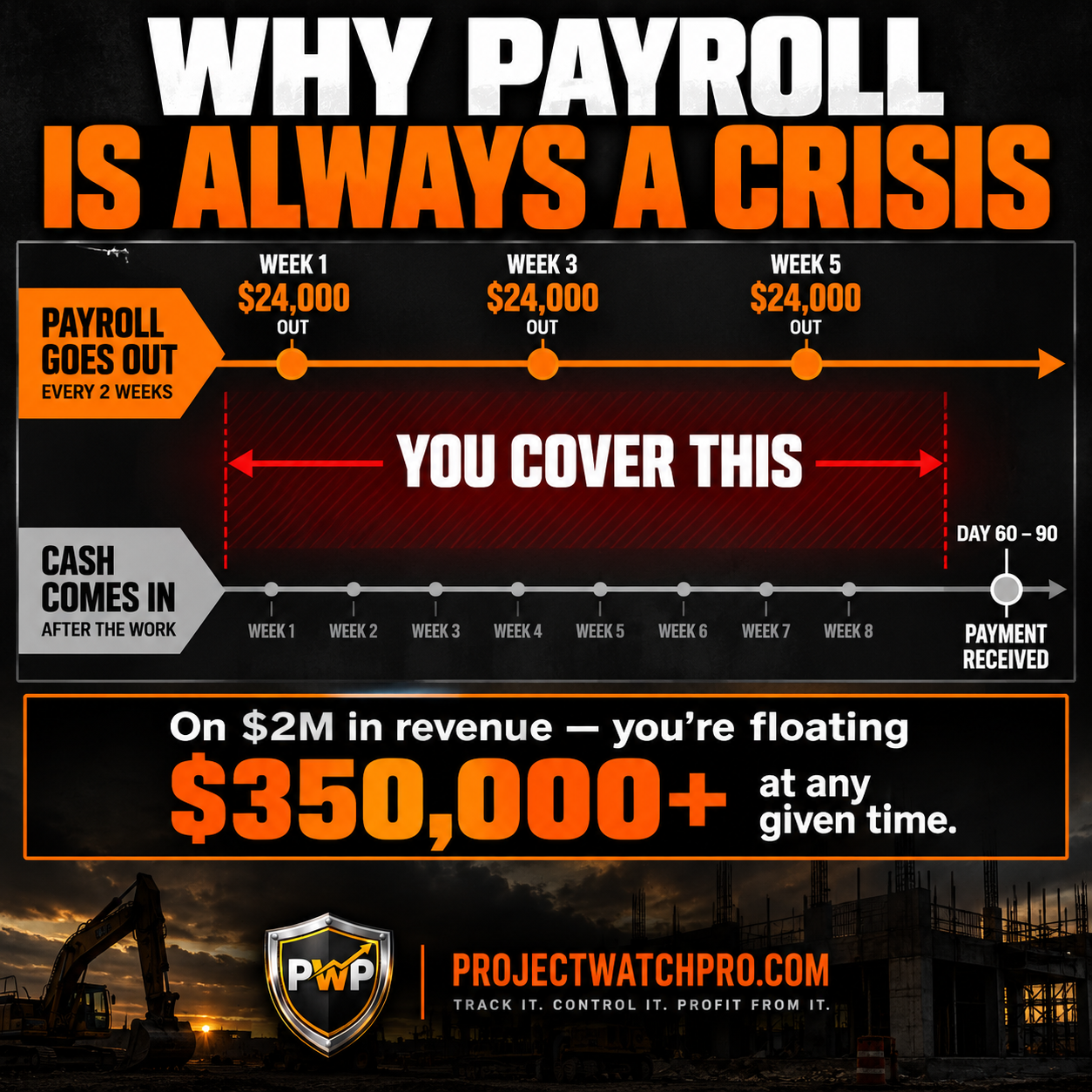
Contractor payroll cash flow crisis is what happens when a construction business has profitable jobs in progress but not enough cash in the bank to cover payroll on time — because the billing comes weeks or months after the work. The jobs are making money. The timing between when that money gets paid out in labor and when it comes back in from clients is what creates the crisis. Profit and cash are two different things. You can have both on paper and only one in the account.
Why Is Payroll Always a Cash Flow Crisis for Contractors?
Your Jobs Are Profitable. So Why Are You Covering Payroll From Your Own Account?
Why Having More Work Doesn't Solve This
The Math That Explains Every Thursday Afternoon
The Real Reason — Billing Is on a Different Timeline Than the Work
How to Close the Gap — Billing That Follows the Work
Task-Level Structure Creates Natural Billing Triggers
Know What Each Job Needs Before the Next Payroll Runs
Why Having More Work Doesn't Solve This
The first instinct when cash is tight is to book more jobs. More revenue, more cash coming in.
The problem: if the timing gap is what's causing the crisis, more jobs makes it worse. More payroll goes out on the same billing lag. You're running faster on the same treadmill.
The second instinct is a line of credit. Bridge the gap, pay it back when payments arrive. This works — until the line is tapped, or until the interest cost starts eating into the margin you were trying to protect.
The third instinct is to push clients to pay faster. That's a real lever, and it helps. But it doesn't solve the root problem — which isn't that clients pay slowly. It's that your billing schedule doesn't match your cash outflow schedule.
The Math That Explains Every Thursday Afternoon
I worked with a mechanical contractor — HVAC and industrial piping — running just over $2M in annual revenue. Full schedule. Good crews. Solid reputation. He had transferred money from personal savings to the business account three times in the last year to make payroll.
We ran the numbers. At $2M in annual revenue, his crew costs and direct job expenses were running about $55,000 to $60,000 every two weeks. He invoiced when jobs closed — typically 20 to 30 days after the last work was done. Net-30 payment terms meant cash arrived 50 to 60 days after that.
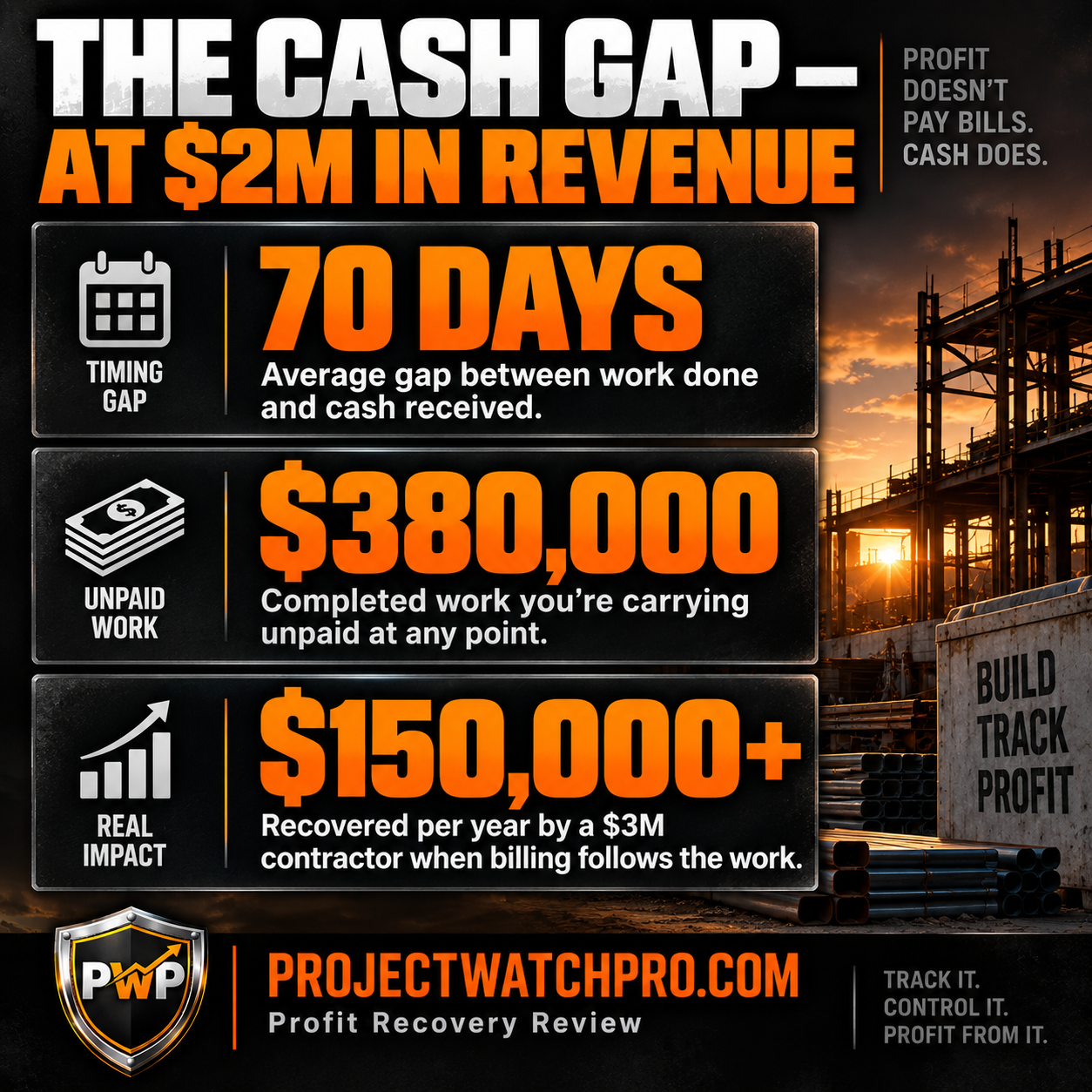
That's a 70 to 90 day gap between when money goes out and when it comes back.
At any given point he was carrying $320,000 to $400,000 in completed work that hadn't been paid yet. That float has to come from somewhere. It was coming from him.
According to Construction Dive's 2026 report on contractor costs and labor pressure, rising wage competition is tightening this gap even further — payroll is going up while payment terms stay fixed. You're paying more, faster, and waiting just as long to get it back. The gap is getting wider, not narrower.
The Real Reason — Billing Is on a Different Timeline Than the Work
This isn't a cash flow management problem. It's a billing structure problem.
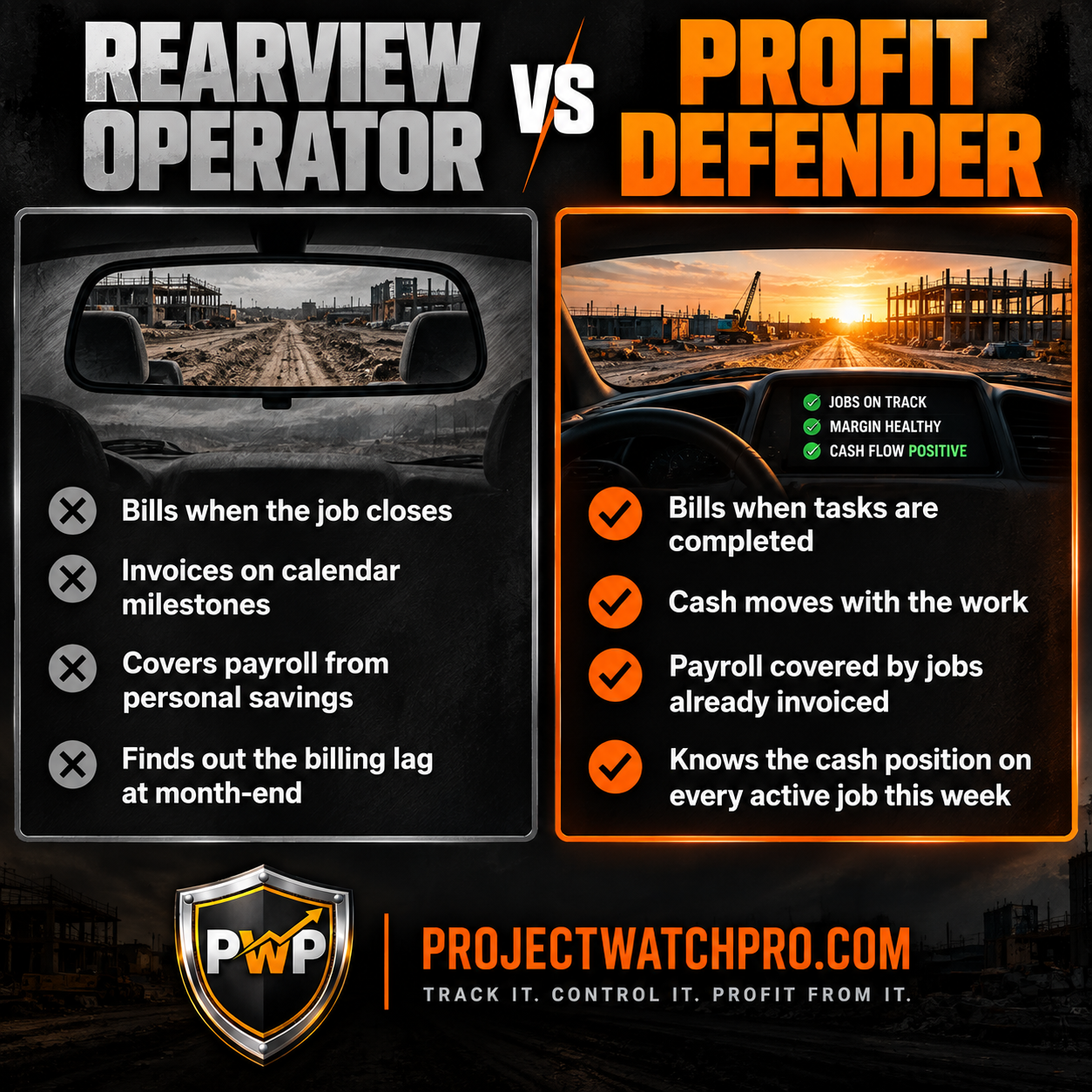
Most contractors bill by the calendar: 30% at mobilization, 60% at rough-in, 90% at substantial completion, final at closeout. Or they bill when the job closes. Either way, the billing schedule is set by the contract or the calendar — not by what the crew actually completed.
Here's where that breaks down: your crew completes work on a schedule that has nothing to do with the calendar. A crew running ahead of schedule has completed work that isn't billed yet. A job that stalls waiting on inspection or a material delay has costs piling up against a billing milestone that's still weeks away. You're paying out money every two weeks. The invoice shows up once, maybe twice, on a schedule that was decided when the contract was signed.
The result is what The 45-Day Profit Lag does to margin — now working against cash. By the time the billing catches up to the work, you've already covered those costs twice over.
The other piece: if you don't know what each job has cost to date — real labor burden, overhead, and materials, not just hours logged — you can't know what that job's billing should be at each stage. You're invoicing on a schedule but guessing at whether the billing matches the actual work done. If it's less than what you've spent, you're bankrolling the gap until the next milestone.
Imperial Training Group reported in 2026 that construction firms are facing a growing cash flow crisis driven specifically by this gap — cost timing and billing timing on two different tracks. Seventy-four percent of construction companies experienced moderate to severe cash flow challenges. Not struggling businesses. Businesses doing real work, running real crews, with real jobs in progress.
Swap the trade — electrical, plumbing, roofing, a fabrication shop running custom orders — and the problem doesn't change. Any business that pays a crew on a regular cycle and invoices on a project cycle carries a float it never planned for. How long that float runs is a function of how the billing is structured.
How to Close the Gap — Billing That Follows the Work
The fix isn't a faster payment schedule forced on a client who doesn't want one. It's structuring jobs so that billing events are tied to completed work — so cash moves when the work moves.
Task-Level Structure Creates Natural Billing Triggers
When a job is quoted as one number — "$420,000 for commercial mechanical installation" — there are limited moments to invoice. When the contract says so. When the job closes.
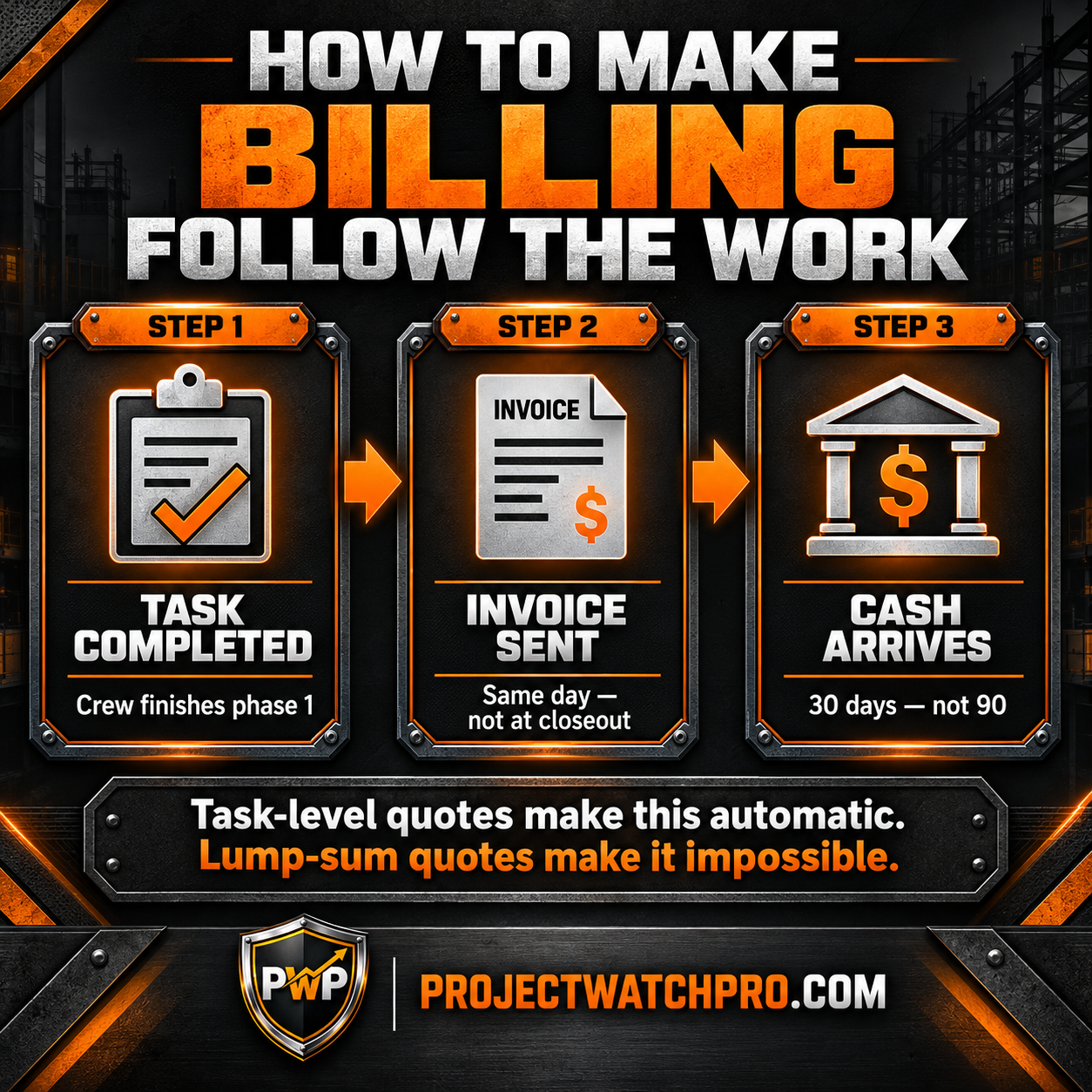
When the job is broken into tasks — mobilization, rough-in phase 1, rough-in phase 2, equipment setting, startup, commissioning, punch list — each completed task becomes a billing event. Not because the calendar hit a milestone. Because a defined, verifiable piece of work is done and documented.
This is what real-time job costing makes possible. When the crew logs time against tasks and the task completion status is live, you know what's been completed before the invoice goes out. You're not estimating "we're about 60% done." You're looking at tasks completed versus tasks remaining — and you can invoice for what's done today, not at the end of the month.
This changes the cash timing in three ways:
- You know exactly what's been completed before the invoice goes out. No guessing.
- The client sees a concrete deliverable attached to each payment. Mechanical rough-in, phase 1 — done and documented. That's easier to approve than "we're 30% done."
- Your crew's actual costs map directly to the billing trigger. When phase 1 is done, you can see what it cost, check it against what the quote said, and invoice for what you're owed — before the next payroll cycle.
Know What Each Job Needs Before the Next Payroll Runs
The contractors who don't have Thursday afternoon moments share one habit: they know their cash position on every active job in real time. Not at month-end. Not at closeout. Every week, they can see what each job has cost so far and when the next billing trigger is.
That knowledge changes when they invoice and how hard they push on collections. A contractor who can see that a job completed $48,000 in work and hasn't sent an invoice in 35 days isn't going to wait until the job closes. A contractor who can only see that the job is "about halfway done" doesn't have the information to know the urgency.
Step 8 of the Profit Pulse System — Cash Protection — connects the task completion status of every job to its billing calendar. When a task closes, the billing trigger fires. Not later. That day.
I watched this change the HVAC contractor's business within the first quarter. Not because anything about his jobs changed. Because the billing moved with the work instead of waiting for the contract dates. His average payment receipt time dropped from 74 days to 38 days. The float he was carrying cut nearly in half. He hasn't covered payroll from personal savings since.
The Abrasive Blast & Paint result — $50k recovered in month one — had this same component underneath it. When billing tracks completed work and cash arrives faster, the business stops running on borrowed time.
Here's what most people get wrong about this: they think the fix is financial — a line of credit, invoice factoring, faster payment terms written into contracts. Those tools manage the gap. They don't close it. The gap closes when the billing schedule matches the work schedule. And that requires quotes structured in tasks, not lump sums, with billing events attached to task completion instead of calendar dates.
This is why Profit Defense Advisory Services exists alongside ProjectWatchPRO. The platform runs the system. But restructuring a billing schedule, rebuilding quotes into tasks, and getting a crew to log against tasks instead of job numbers — that requires someone who has done it before, not just a login. Hands-on implementation support is what makes the methodology stick in a real business, not just in a spreadsheet.
Three Moves to Make Before the Next Payroll Runs
You don't need a full system overhaul to stop the bleeding this week.
1. Count the actual days between work done and cash received on your last five jobs. Not invoice date — cash received. Write down the number. That's your real cash gap, and it tells you how much you're carrying at any given time.
2. List every active job and find where the next billing trigger is. If the answer is "when the job closes," you have a problem. If there is a completed phase, task, or milestone that hasn't been invoiced, send that invoice today — not next week.
3. Build the next job quote with billing milestones tied to task completion, not calendar dates. Phase 1 complete — invoice. Phase 2 complete — invoice. The client gets a clear deliverable. You get cash that moves with the work.
These three steps address the jobs running right now. The root problem — that your quote isn't structured to make this automatic — requires building task-level quotes from your real cost numbers. But start with what you can control today.
Key Takeaways
- Payroll cash flow crises aren't a sign of a failing business — they're a timing problem. Labor goes out every two weeks. Cash comes back in 60 to 90 days. The gap has to come from somewhere, and right now it's coming from you.
- More jobs don't fix a timing gap — they deepen it. More payroll going out on the same billing lag just moves the crisis to a larger number and a bigger transfer.
- At $2M in annual revenue, a 70-day payment lag means you're carrying $380,000 or more in completed work waiting to be paid at any given time. That float doesn't disappear — it either comes from a credit line or from your personal account.
- Billing by calendar date instead of completed work is the structural cause. When milestones are tied to a contract schedule instead of what's actually been finished, cash and cost run on two different tracks. See how the 45-Day Profit Lag does the same thing to margin.
- Task-level quotes create natural billing triggers. When the job is broken into tasks and each completed task is a billing event, cash moves with the work — not 30 days after the job closes.
- Rising labor costs in 2026 are making this worse. Construction Dive reported that wage competition and labor shortages are pushing payroll up while payment terms stay fixed — you're paying more, faster, and waiting the same amount of time to get it back.
- A $3M contractor who restructures billing to follow completed tasks typically recovers $150,000 or more per year in accelerated cash — not new revenue, just money already earned arriving faster. A $10M contractor, around $350,000 on the same basis.
Frequently Asked Questions
Why is payroll always a cash flow crisis even when my jobs are profitable?
Profit and cash are on different timelines. Your crew costs money every two weeks. The invoice goes out when the job closes. The client pays 30 to 45 days after that. On a 70-day lag, you're covering two rounds of payroll before the job's revenue arrives. The jobs are making money — the timing is what's making payroll a crisis. The same lag that hides margin loss is hiding the cash gap.
How can a profitable construction company run out of cash?
Because profit is what a job makes over its life. Cash is what's in the account right now. A job that will net 12% can still require $60,000 in labor costs before the first payment arrives. The math works at closeout. The problem is what happens on the Thursdays in between. Seventy-four percent of construction companies experience moderate to severe cash flow challenges — regardless of whether the jobs are profitable.
Should I get a line of credit to cover payroll gaps?
A line of credit can bridge the gap, but it doesn't close it — you're paying interest on money that should already be yours. The better fix is billing milestones tied to completed tasks, so cash arrives closer to when it goes out. Use a credit line as a buffer while you restructure the billing. Don't use it as the long-term plan.
How does billing timing affect contractor cash flow?
Every day between "work completed" and "payment received" is a day you're carrying that cost yourself. On a 70-day average lag across $2M in revenue, you're floating roughly $380,000 at any given time. Tighten the lag to 35 days and that float drops by nearly $190,000 — cash you no longer have to borrow or pull from savings. See how task-level job costing creates the billing triggers that close the gap.
What's the fastest way to improve cash flow on jobs I'm running right now?
Pull your active job list today. Find any phase, task, or milestone that's been completed in the last two weeks and hasn't been invoiced. Send that invoice today. That's triage. The longer fix is restructuring your next quote into tasks with billing triggers attached to each one — so this is automatic going forward, not something you have to hunt for. Data-driven estimating is where that starts.
Are other contractors dealing with this, or is it something specific to my business?
It's industry-wide. Imperial Training Group reported in 2026 that construction firms face a growing cash flow crisis driven by the gap between when costs go out and when payments come in — regardless of profitability. You're not running a bad business. You're running a business where the billing structure was built for the client's convenience, not yours.